Chat Code for Bioinformatics · v0.1.0
Talk to your data.
Environment, code and execution handled. The scientific judgment stays yours.
cc-bioinfo combines the reasoning of large language models with a professional bioinformatics compute environment in one multi-user platform. You frame the scientific question and sign off on each step; the AI builds the environment, writes and runs the code, produces figures and drafts the write-up — every step logged, auditable and reproducible. Whether the conclusion holds is your call. It runs on your institution's server or your own computer: shared by many, isolated for each, with files and analyses staying in-house.
Just over a minute · from question to results
What is cc-bioinfo?
In form, it is a multi-user analysis environment installed on a Linux server and reached through a browser — much like RStudio Server, except you do not write the code; you talk to it. Nothing is installed on your own machine: open a browser and start. The analysis runs on the server and keeps running after you close the tab.
cc-bioinfo (Chat Code for Bioinformatics) is a multi-user, self-hosted, AI-native bioinformatics analysis platform: researchers describe an analysis intent in natural language, the platform automatically generates and executes R/Python code, and produces reproducible bioinformatics workflows and manuscript drafts. It ships with two core skills: bio-design for study design and bio-analyze for analysis execution — both can also be installed on their own into Claude or ChatGPT; the platform adds multi-user isolation, a separate analysis environment per project and a full audit trail.
- Server: Ubuntu 24.04+ LTS. Client: any modern browser, nothing to install
- v0.1.0 released 2026-07-09 — the first production release, pairing a multi-user server architecture with the dual-engine pipeline validated on real studies
- 6 independently completed real research topics validated end to end, including honestly reported negative results
- 4 instant-messaging channels (WeChat, DingTalk, Feishu, Telegram) with end-to-end tests passing
By the numbers: one of the six completed studies ran 7 parallel evidence lines over 26 hours unattended; the commonly cited figure is that 80 percent of bioinformatics time goes into getting code to run rather than analysing data, and removing that step is the platform's first job. A self-hosted deployment needs at minimum 2 CPU cores, 4 GB of memory and 10 GB of disk, with 4 cores, 8 GB of memory and 20 GB of disk recommended for departmental multi-user use; the installer runs 17 self-checks and the streaming file transfer cap is 200 MB. Individual users install nothing at all — the browser is the only client.
The personal edition is the same Linux environment, running through WSL on your own Windows machine — still reached through a browser.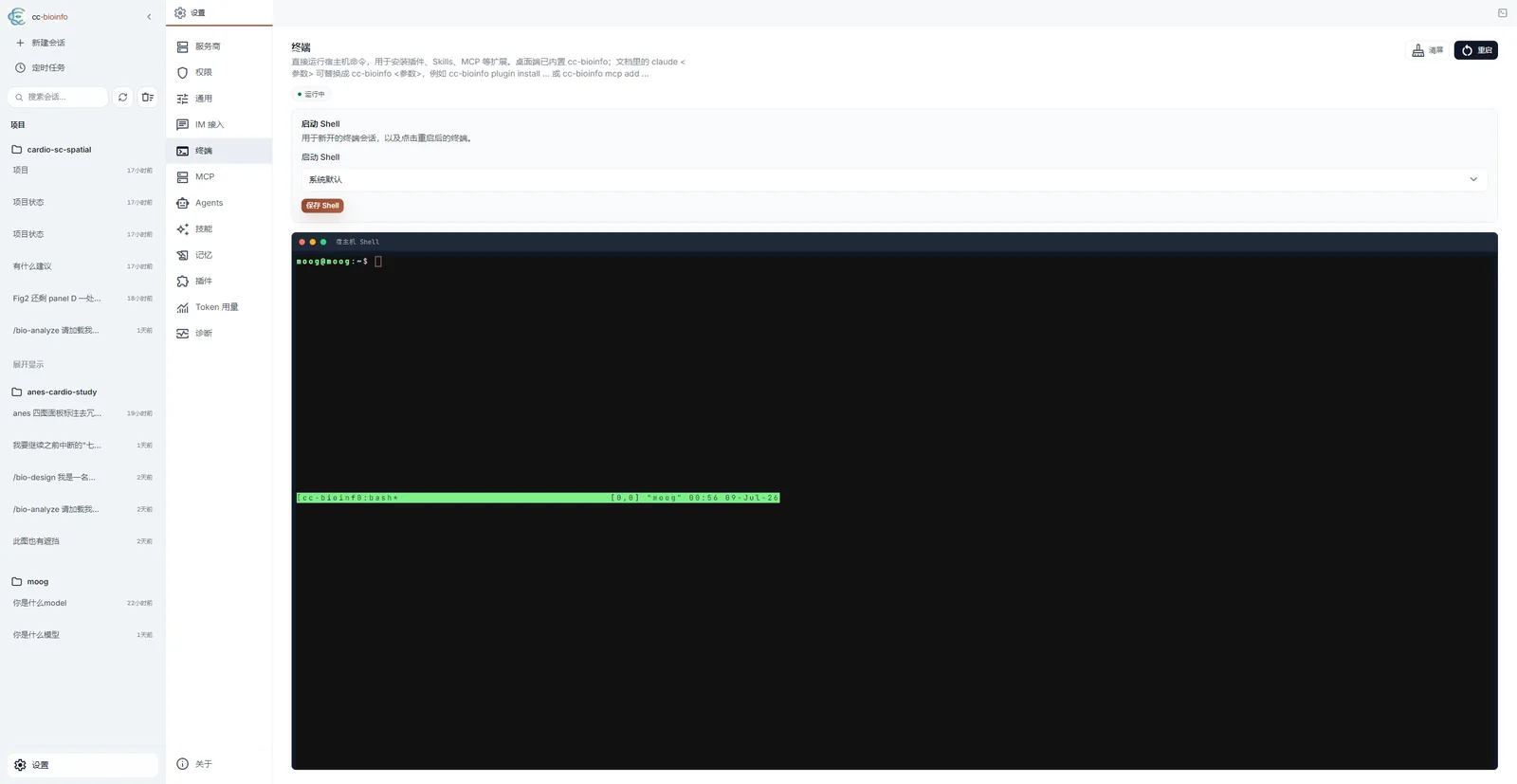
How do I get it? Personal and Enterprise editions
Try it free first, buy it only if it fits. Three channels for three situations:
| Your situation | What to do | Notes |
|---|---|---|
| Want to see whether it works for you | Open the trial platform (no sign-in needed) | No installation, no environment setup, no data needed to start; for a dedicated trial environment email tangmoogmoogtang@gmail.com |
| Personal edition (individual researcher) | Buy on Gumroad — $50 | Delivered as a zip install package with INSTALL.md and a Gumroad license key; runs on native Linux / WSL2 / VM (Ubuntu 24.04+), files and analyses stay on your machine |
| Enterprise edition (department, lab, institution) | Buy on Gumroad — $300 | Single production server, unlimited users; self-hosted deployment, multi-user isolation and institutional authentication. Multi-server / site licensing: email tangmoogmoogtang@gmail.com |
Prices are in USD, sold through Gumroad. Individual users in mainland China: see the Chinese buying guide.
Personal edition is for
- Working on your own project, with no need for shared access
- Sensitive data: files and analyses stay on your machine — only the conversation sent to the model goes through your chosen provider (with Ollama, everything runs locally)
- No wish — and no need — to provision a separate server
- A machine that keeps up: 16 GB of memory works, 32 GB is safer — everything runs locally
- Setup is covered on video: personal edition setup guide
Enterprise edition is for
- Shared analysis platforms in departments, labs, hospitals and universities
- Teams that need per-member data isolation while sharing compute and model resources
- Organisations required by compliance or IT policy to host it on their own servers
- Environment: a dedicated Ubuntu 24.04+ server or VM; WSL2 is for evaluation only, not production
Personal vs Enterprise at a glance
| Personal $50 | Enterprise $300 | |
|---|---|---|
| Users | 1 (no login) | Multi-user, system-level isolation |
| Deployment | Local Linux / WSL2 / VM, one-command install | Full-stack on a dedicated server (nginx + TLS + systemd) |
| Login & authentication | — | PAM (real system accounts) + Go auth-service |
| User management | — | cc-bioinfo-admin CLI |
| Full backup / restore scripts | ✅ manual | ✅ manual |
| Scheduled automatic backups | — | Account DB daily (30-day retention) |
| Bio-Design + Bio-Analyze | ✅ | ✅ |
| IM integration (Telegram / Feishu / DingTalk / WeChat) | ✅ | ✅ |
| Multi-provider (Anthropic / Bedrock / DeepSeek / Kimi / Ollama) | ✅ | ✅ |
| License | Per-researcher, up to 2 of your own machines | 1 production server, unlimited users |
The platform's product introduction and public documentation are available in the public cc-bioinfo repository (README, changelog, feature notes); deployment packages and installation support are provided after purchase. Please read the license and refund terms before buying.
How is it different from ChatGPT, Claude Code, Biomni Lab or RStudio Server?
cc-bioinfo is not a chat wrapper and not yet another skill: it is a multi-user analysis workbench installed on your institution's server or your own computer, on which the two core skills (bio-design, bio-analyze) run. The skills can perform on other stages; the difference is the stage itself. Below, one row per thing you may be using today — each starts with where the other side is the better choice.
| What you use now | What it already does well | What this stage adds |
|---|---|---|
| Chatting with an AI directly (ChatGPT / Claude web) | Designs, code and interpretation are all fine — but advice only, it cannot execute | Really builds the environment, runs the code, renders the figures, with every artefact on disk and checkable |
| A coding agent such as Claude Code / Codex + the skills | One setup per terminal-savvy person; entirely enough for one-off exploration — it is how we work ourselves | Usable without ever touching a terminal; a resident, per-project isolated environment; one department sharing with system-level isolation |
| A hosted workbench such as Biomni Lab / Claude Science | Stronger models and tool ecosystems; for exploratory work with cloud-friendly data, look there first | Self-hosted, files and analyses stay in-house, Chinese interface, delivery through to a submission draft |
| RStudio Server / Jupyter | Complete freedom; maximum flexibility for people who code | No code; quality gates, preregistration locks and an audit trail built in |
| Online analysis platforms / Galaxy | Low barrier, free compute | Unrestricted toolchain — any R/Python package; nothing uploaded |
It is a server-side, multi-user platform: researchers use it through a browser with nothing installed locally; closing the browser interrupts nothing — running analyses, scheduled jobs and IM delivery all continue, so a multi-hour end-to-end analysis can finish unattended. Users are isolated from each other at the Linux UID level with PAM login, sharing one pool of compute and model access without seeing each other's work.
Anthropic · Bedrock · DeepSeek · Kimi · Ollama
WeChat · DingTalk · Feishu · Telegram
Linux accounts + PAM authentication
6 end-to-end + 1 vetoed by a human
The item-by-item comparison — including skill libraries, hand-written scripts and the cases where this platform is the wrong choice — is on How to choose.
How does a study move through the platform?
Features in the order a study uses them rather than as a list: ① frame → ② build the environment → ③ execute → ④ monitor (including reviewing every code change the AI makes) → ⑤ extend. The deliverables themselves — figures, manuscript draft, submission package — come out of bio-analyze in step ③.
- ① Frame · bio-design study designThe upstream design skill: literature decomposition plus heuristic design dialogue, backed by 382 decomposed cases and 6,235 structured decision patterns.
- ② Environment · Zero environment setupBuilds a per-project conda environment automatically, installs missing packages on demand, and bootstraps miniconda from scratch when conda is absent — you never have to survive dependency hell.
- ② Environment · Multi-model ecosystemNatively optimized for the Claude API; unified routing to AWS Bedrock, DeepSeek, Kimi and Ollama — with Ollama, inference runs entirely on your own machine.
- ② Environment · Three-tier configurationProject tier over user-global tier over framework defaults. Lab-specific marker gene lists merge with built-in knowledge instead of replacing it.
- ③ Execute · bio-analyze autonomous executionThe downstream execution skill: a Step 0-7 workflow, multi-hour analyses completed unattended, all the way to an SCI manuscript draft.
- ③ Execute · Chat-to-code workflowDescribe the task in natural language; the system writes code, installs missing dependencies and provisions the runtime. Hand it a stack trace and it diagnoses the cause and returns corrected code.
- ③ Execute · Built-in browser terminalA per-user isolated tmux terminal for shell commands, package installation and environment management — no SSH client required.
- ④ Monitor · Multi-channel IM integrationWeChat, DingTalk, Telegram and Feishu adapters all pass end-to-end tests: permission approval, project switching and streaming result cards let you decide from a phone between clinics.
- ④ Monitor · Immersive IDE experienceA full browser-native Web UI: AI conversation on the left, code changes and diffs on the right; multi-project organization with session history and branching.
- ⑤ Extend · Plugin ecosystemInstall community plugins from the Web UI or CLI: PubMed search, scRNA-seq QC, Open Targets, Consensus and more.
How are multi-user architecture and data security designed?
cc-bioinfo uses a three-layer multi-user architecture: an nginx reverse proxy with Lua, a Go authentication service backed by Linux PAM with sessions and audit logging, and one isolated Bun process per user managed by systemd template units.
- Process-level isolation: each user session runs under its own Linux UID with PrivateTmp, memory limits and CPU quotas.
- Unix socket routing: requests route through a per-user socket, so users cannot reach each other's sessions — verified by a real cross-user isolation test with 2 users signed in concurrently.
- Institutional account authentication: the authentication service speaks Linux PAM directly, so researchers log in with existing institutional credentials and no separate account system is needed.
- Server-resident persistence: user processes are systemd-managed and independent of browser connections; services recover automatically after a host reboot.
On data residency, stated honestly: raw data is only read by the local R/Python environment on the server. Whether any data leaves the intranet depends on the LLM provider your administrator configures. A self-hosted LLM such as Ollama can be configured for full data residency — but the platform itself does not technically enforce it, and we say so plainly rather than implying a guarantee it cannot make.
Who is cc-bioinfo for, and who is it not for?
A good fit
- Clinical researchers who need to publish but do not code — the primary audience
- Graduate students and wet-lab scientists blocked by environment setup or unfamiliar with the command line
- Institutional platforms at hospitals, research institutes and universities that must share resources while keeping user data isolated
- Researchers blocked by IT policy from installing local software
- Bioinformatics engineers who want a smarter RStudio Server
Not a fit
- Production-scale sequencing-centre pipelines processing hundreds of samples daily — use Nextflow or Snakemake
- Novel algorithm and methodology development — program it directly
- Pure upstream analysis such as genome assembly and alignment — use BWA, GATK or SPAdes
- Expecting AI to replace statistical training and scientific judgment — key checkpoints still pause for a human decision
How do I get started?
- Step 1 · Open the trial platform: test.cc-bioinfo.com is free and needs no sign-in; for a dedicated trial environment email tangmoogmoogtang@gmail.com. You talk to it in the browser. Two good first moves: drop in a reference paper from your field for bio-design to decompose, or take a public GEO dataset and let bio-analyze run QC and clustering.
- Step 2 · Pick an edition: personal edition for individual use, enterprise edition for a department or institution. See the purchase section.
- Step 3 · Deploy and activate: for the personal edition, follow the setup guide — three videos cover the whole process. Enterprise edition deploys on your own servers — the setup wizard installs every dependency, configures TLS and runs 17 self-checks. Deployment packages and installation support are provided after purchase.
| Requirement | Enterprise (server) | Personal (your own machine) |
|---|---|---|
| Operating system | Ubuntu 24.04+ LTS | Windows + WSL2 (import the Linux image) |
| CPU | 2 cores minimum, 4+ recommended | 4 cores or more |
| Memory | 4 GB minimum, 8 GB+ recommended | 16 GB minimum, 32 GB recommended |
| Disk | 10 GB minimum, 20 GB+ recommended | 300 GB recommended |
The two columns differ widely because they measure different things. The enterprise figures cover the platform itself; the actual analysis runs on institutional compute. On the personal edition everything happens on your machine — platform, conda environments, raw data and computation — so size it for real single-cell and spatial work. The setup guide covers obtaining the image and installing it.
Which real studies has it completed?
The six studies below were completed end to end on cc-bioinfo by an AI clinician role and an AI bioinformatics role working together; the human said one sentence at the start. All use public real data, including honestly reported negative results. Full process archives are on the case studies page.
- Mendelian randomization
statistical geneticsCausal architecture of AF → HF and its protein mediatorsOn IEU OpenGWAS summary statistics: AF→HF OR 1.34 (p=3×10⁻⁵⁹), all 1,915 plasma proteins screened, zero mediators — one sentence in, an 8,060-word English manuscript out. - Single-cell + spatial
cardiovascularA five-layer evidence loop on carotid-plaque SMC stability20,909 SMC-lineage cells plus 120,164 cells of Xenium spatial validation; when the data did not support the premise, the AI rebuilt the paper's thesis from scratch. - Pharmacogenomics
comparative studyCAVD vs CAD causal maps and drug repurposing300 targets, two outcomes, MR across seven parallel evidence lines in 26 hours — a genetic explanation of why statins fail against valve calcification. - Mechanistic pharmacology
molecular dockingSevoflurane × myocardial ischaemia-reperfusion × ferroptosisHit a preregistered gate and turned honestly: every docking score fell short, so the conclusion was framed as "not single-target inhibition". - Evidence-based medicine
umbrella reviewA health check of the HFpEF drug-therapy evidence base102 meta-analyses: 96.1% rated Critically Low on AMSTAR-2, 16.7% corpus overlap — "the field needs better meta-analyses, not more". - Reproductive medicine
self-chosen topicThree successive rounds on the endometrial window of implantation in recurrent implantation failureThe AI set its own question, narrowed it over three rounds and closed the door honestly three times — each round ruled out a widely assumed mechanism.
Two mirror-image process records: the Case 1 autonomous-run record — one human sentence, two AIs, zero intervention, an 8,060-word submission draft, and how the four integrity mechanisms work and what stays human; and the Case 7 post-mortem — 17 human interventions and a final veto, showing when AI drifts on its own. One success and one failure, both published in full.
Frequently asked questions (FAQ)
How do cc-bioinfo, bio-design and bio-analyze relate to each other?
They are one platform plus two core skills, not three parallel products. bio-design and bio-analyze are installable AI skills — install them directly into Claude or ChatGPT and use them on their own, or use them pre-installed on the platform. In one sentence: cc-bioinfo is the stage, bio-design is the screenwriter, bio-analyze is the director and the whole cast — they can perform in other theatres too, but the stage machinery exists only here.
| Name | Question it answers | When you use it | What you get |
|---|---|---|---|
| cc-bioinfo | Where does it run? | Throughout — it hosts the other two | Browser workbench, built-in terminal, multi-user isolation, sessions that survive closing the browser |
| bio-design | What study should I do? | Before the proposal, before you have data | design.md plan (hand it to a supervisor) plus the machine-readable TOPIC.yml contract |
| bio-analyze | How do I actually run it? | Once the design is fixed and data is in hand | Analysis results, publication figures, technical report, SCI manuscript draft |
Neither skill is locked to the platform: install them directly into Claude or ChatGPT and use them standalone — use bio-design alone just to think a study through, or bio-analyze alone if you already have a plan and data. Chained together they close the loop — /bio-design review maps execution outputs back onto the design and produces a revised version that feeds the analysis engine again.
How do I buy it and what editions are there?
There are two paid editions: the personal edition for individual researchers — $50 on Gumroad, delivered as a zip install package with INSTALL.md and a license key; and the enterprise edition for departments, labs and institutions — $300 on Gumroad for a single production server with unlimited users (multi-server or site licensing: email tangmoogmoogtang@gmail.com). See the buying guide.
Do I need to know how to code to use cc-bioinfo?
No. Researchers describe the analysis intent in natural language and the platform builds the environment and generates and executes the R/Python code. However, key scientific judgments such as cell-type annotation confirmation, analysis direction and figure review remain the researcher's decision.
I cannot set up environments and do not use the command line. Can I still use it?
Yes. Environment setup is the first barrier in bioinformatics and the point where most people actually give up — the commonly cited figure is that 80 percent of bioinformatics time goes into getting code to run rather than analysing data. The platform puts the terminal in the browser, so no SSH client is needed; more commonly you never touch the terminal at all, because bio-analyze creates a per-project conda environment automatically and bootstraps miniconda from scratch when conda is absent. See the pain points Q&A.
How is cc-bioinfo different from AI agent tools like Cowork, Codex or OpenClaw?
They solve different problems. Those are general-purpose agents running on your own computer: powerful, but they assume you can set up environments and read a command line, and they are single-user. The reality cc-bioinfo deals with is that bioinformatics tooling lives almost entirely on Linux and is command-line driven, while most researchers work on Windows without an IT background — the tools are on one side of the river, the people on the other. So the platform is Linux server software used from a browser: the entire command-line side is absorbed by the platform, and researchers face only a browser and plain-language dialogue. Users are isolated from each other, and bio-analyze sets up a separate Conda environment for every project, so projects never contaminate one another. None of that is what general agent tools set out to do.
Does my data leave our servers?
Raw data such as h5, rds, FASTQ and BAM files is only read by the local R/Python environment on the server hosting the platform. Whether any data leaves the intranet depends on the LLM provider your administrator configures. The platform supports self-hosted LLMs for full data residency, but the platform itself does not technically enforce data residency.
Can I trust AI-generated analysis results?
The platform constrains trustworthiness through engineering rather than promises: pre-registered decision rules are fixed before results are seen, iron rules forbid simulated data and fabricated statistics, a five-dimension quality audit blocks interpretation until it passes, and conclusion wording is capped at what the evidence supports. Final scientific responsibility remains with the researcher: the manuscript is a draft that needs human verification.
Which omics types does cc-bioinfo support?
Six standardized pipelines are built in: single-cell RNA-seq, spatial transcriptomics, bulk RNA-seq, proteomics, metabolomics and lipidomics. Knowledge-base coverage also includes ATAC-seq, WGCNA, Mendelian randomization and molecular dynamics quality assessment.
What server does a self-hosted deployment need?
A minimum deployment needs Ubuntu 24.04 LTS or newer, 2 CPU cores, 4 GB of memory and 10 GB of disk. For multi-user departmental use 4 cores or more, 8 GB of memory or more and 20 GB of disk or more are recommended. The setup wizard installs every dependency, configures TLS and runs 17 self-checks. Individual users need none of this — the browser is the only client.
Last updated: